Menu Cart for WooCommerce
View on WordPress.orgScores higher than 92% of indexed plugins
About
Automatically displays a shopping cart in your menu bar. Works with WooCommerce and Easy Digital Downloads (EDD)
Security History
What It Does
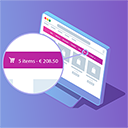
Menu Cart for WooCommerce adds a live shopping cart icon to your WordPress navigation menu, showing item count and total in real time as shoppers browse. It works with both WooCommerce and Easy Digital Downloads, so digital sellers and physical goods stores can use it interchangeably. The plugin handles the cart display automatically without manual theme edits or custom code.
Who It's For
This plugin is best suited for small to mid-sized WooCommerce or EDD store owners who want a visible, always-accessible cart in the site header without paying for a premium theme or hiring a developer. It fits retailers, digital product sellers, course platforms, and dropshipping operations where reducing checkout friction matters. If you run a single-product storefront or a marketplace with high order volume, the lightweight approach still holds up.
Who Should Skip It
Stores that already use a WooCommerce theme with a built-in cart icon, such as many Storefront or Astra setups, do not need this plugin and would be adding duplicate functionality. Developers building fully custom checkout flows with AJAX fragments may prefer writing the cart markup directly.
The Bottom Line
Menu Cart for WooCommerce is a focused, well-maintained utility that does one job and does it well, earning a Quality Score of 83.26. The thin support footprint is the main caveat, so buyers should be comfortable relying on documentation rather than forum responses. For the right store owner, it is a sensible, low-risk add-on.
Related Plugins
Pick WooCommerce itself if you do not yet have an e-commerce engine installed, since the cart functionality here only matters once that foundation is in place.
Choose Germanized if your store operates in Germany or the EU and needs invoicing, legal text, and tax compliance rather than just a menu cart.
Pick this PDF invoicing plugin if your priority is post-purchase documentation rather than pre-checkout cart visibility.
Choose the reviews plugin when social proof is your conversion bottleneck, not cart discoverability.
Pick Stripe Gateway when payment method coverage is the blocker on your store, which is a different problem than menu cart display.