Continue Shopping for WooCommerce
View on WordPress.orgScores higher than 12% of indexed plugins
About
Easily change the 'Continue Shopping' link when redirected to the Cart after adding a Product.
What It Does
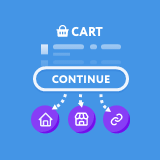
This plugin lets WooCommerce store owners redirect the default 'Continue Shopping' button on the cart page to any URL of their choosing, such as the shop page, a specific category, or a custom landing page. It solves the common problem of the default link sending customers back to the previously viewed product, which is often unhelpful after adding an item to the cart. Setup is minimal, requiring only that you install it and configure the destination URL.
Who It's For
This plugin is best for small to mid-sized WooCommerce stores that want to guide shoppers to a specific collection page, category, or promotional page after they add an item to the cart. It is particularly useful for stores with large catalogues where the default behaviour of returning to a single product page can feel disorienting or unhelpful. Subscription box companies, fashion retailers, and stores running cross-sell campaigns will likely see the most value.
Who Should Skip It
If your store only sells a handful of products or you are happy with the default WooCommerce behaviour of returning customers to the product they just added, this plugin is unnecessary. Developers comfortable adding a small snippet to their theme's functions.php file can achieve the same result without installing another plugin.
The Bottom Line
This is a narrowly focused utility plugin that does one thing and does it well, earning a 67.19 overall quality score that reflects decent ratings and recent updates weighed down by a small install base and an unproven support track record. For store owners who want a quick, low-risk way to redirect the Continue Shopping button without writing code, it is a reasonable choice. Just be aware that with only 12 ratings and no support history, you are placing some trust in an unproven maintainer.
Related Plugins
Pick WooCommerce itself if you have not yet set up your store, since this plugin depends on it and the core platform already handles basic cart behaviour out of the box.
Choose Germanized if you operate in the DACH region and need broader legal and commerce compliance features beyond a simple redirect.
Pick this alternative if your priority is professional order documentation rather than adjusting cart page navigation.
Choose Customer Reviews when you want to build trust and conversions through social proof rather than tweaking the cart flow.
Pick Download Monitor only if your store revolves around selling digital files, as that is a different use case entirely.