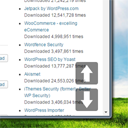
Smooth Page Scroll Up/Down Buttons
View on WordPress.orgScores higher than 58% of indexed plugins
About
Smooth Scroll Page Up/Down Buttons adds buttons that enables your site visitors to easily scroll up or down one screen/page at a time.
Security History
What It Does
Smooth Page Scroll Up/Down Buttons adds on-screen navigation buttons that let visitors move smoothly up or down by one full viewport at a time, rather than wheel-scrolling manually. It is a single-purpose utility plugin aimed at improving scrolling UX on content-heavy pages. Configuration options beyond basic enable/disable appear minimal.
Who It's For
This plugin suits owners of long-form or content-dense sites such as documentation hubs, news magazines, real estate listings, and educational platforms where scrolling through long pages is common. It is also worth considering on mobile-first layouts where a tap target is friendlier than flick gestures. Smaller blogs or sites with short pages will get little value from it.
Who Should Skip It
If your site rarely has content beyond a couple of screens, or you already use a theme with built-in scroll-to-top behaviour, this plugin adds unnecessary markup and scripts. Sites with strict performance budgets should also pass, since scroll handlers and additional DOM elements carry a small but real cost.
The Bottom Line
This is a tidy, recently maintained utility that does exactly one thing and does it well, earning a 100 percent user satisfaction rating across 21 reviews. The catch is the tiny install base and the absence of any public support history, which makes it a small bet on a solo developer. If the up/down-by-viewport behaviour is what you want, it is worth a try; otherwise the more battle-tested WPFront Scroll Top is the safer default.
Related Plugins
Pick WPFront Scroll Top if you only need a back-to-top button, since it has 200,000 installs and far more configuration options.
Pick Page scroll to id if your priority is smooth anchor jumps to in-page sections rather than viewport-based up/down navigation.
Pick WP Popular Posts if you want to highlight trending posts and keep readers on site, which addresses retention more broadly than scroll buttons.
Pick Post Type Switcher if you need to convert content between post types, a completely different utility but a strong contender in the same category listing.
Pick Page Links To if your goal is redirecting or repointing pages rather than improving scroll behaviour.