Simple Page Ordering
View on WordPress.orgScores higher than 93% of indexed plugins
About
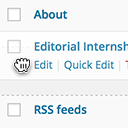
Order your pages and other custom post types that support "page-attributes" with drag and drop right from the standard page list.
Security History
What It Does
Simple Page Ordering adds drag-and-drop reordering to the standard WordPress page list and any custom post type that supports page-attributes. It writes directly to each item's menu_order field, so the new sequence shows up anywhere WordPress sorts by that field, including menus and queries. There is no settings page to configure; the feature simply appears in the admin once the plugin is activated.
Who It's For
This is a fit for site owners who manage hierarchies of pages, courses, service listings, portfolio projects, or documentation tutorials and want a faster way to organize them than editing menu_order numbers one at a time. It is particularly useful for non-technical editors who would never touch a custom field but can use a drag handle. Agencies running dozens of client sites will appreciate that it works across any registered post type without configuration.
Who Should Skip It
Anyone who only manages a handful of pages with a fixed order, or who already uses a page builder that includes its own ordering controls, will not gain much from installing another plugin. Sites that need conditional or role-based ordering rules, or automatic sequencing by date or taxonomy, should look at a more feature-rich alternative.
The Bottom Line
Simple Page Ordering earns a solid 83.99 out of 100 and does one thing well: letting you drag pages into the order you want without touching a custom field. The 94 percent user rating and recent maintenance update are strong positives, though the silent support forum is a real caveat for anyone who might run into edge cases. For most content-heavy sites, this plugin is a sensible, low-risk install.
Related Plugins
Pick Post Type Switcher instead when the main need is converting posts between types rather than reordering them within a list.
Choose this WooCommerce add-on when you run a shop and need to export customer orders, since it has nothing to do with page ordering.
Reach for Page Links To when you want a page to redirect to another URL, not when you simply want to reorder pages in the admin.
Pick Pages with category and tag if your real problem is that you need taxonomy support on pages, and ordering is a secondary concern.
Use Reveal IDs when you need to see IDs in admin lists for debugging or development, not when your goal is drag-and-drop reordering.