WP Mobile Bottom Menu
View on WordPress.orgScores higher than 54% of indexed plugins
About
Smooth Navigation for Mobile. Create an Eye-Catching Sticky Bottom Menu with Limitless Customization Options.
Security History
What It Does
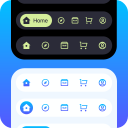
WP Mobile Bottom Menu adds a sticky navigation bar to the bottom of mobile screens, giving visitors app-style access to key pages without scrolling back to the top. It works with WordPress's built-in menu system, so admins can pick which links appear, customize icons, colors, and spacing, and configure visibility rules. It also supports badges, multi-column layouts, and conditional display so the bar can be hidden on certain pages or shown only to logged-in users.
Who It's For
This plugin fits small to mid-sized sites that depend heavily on mobile traffic and want quick navigation to categories, cart, contact, or booking pages, such as restaurants, salons, fitness studios, and small ecommerce shops. It is also a reasonable fit for anyone building a mobile-app-style experience without investing in a PWA or native app. The visual customization makes it useful for brands that need the bar to match their look and feel.
Who Should Skip It
If your theme already includes a well-designed mobile menu or sticky bottom navigation, this plugin is redundant and could conflict. Sites that get most of their traffic from desktop, or large stores running dedicated mobile apps, will see little benefit from adding another floating UI element.
The Bottom Line
WP Mobile Bottom Menu is a focused, well-maintained tool that delivers exactly what its name promises, and it scores a solid 78.01 out of 100 on PluginCheck. The weak support signal (0% resolved threads) and moderate install base are real concerns if you rely on hands-on help. For mobile-first sites that need quick access links without building an app, it is worth trying, but test it on a staging site first to make sure it works with your theme.
Related Plugins
Pick this if you need a full desktop and mobile mega menu overhaul with advanced layouts, not just a bottom bar.
Pick this instead if you want to rearrange the WordPress admin dashboard for your team, since it does not affect frontend navigation.
Pick this if you only need to add icons to existing menus and do not require the sticky bottom bar functionality at all.
Pick this if you want a floating top bar or sticky header for promotions or announcements rather than a bottom navigation menu.
Pick this if your main need is controlling which menu items logged-in versus logged-out users see, without the bottom bar UI.