Inline Related Posts
View on WordPress.orgScores higher than 90% of indexed plugins
About
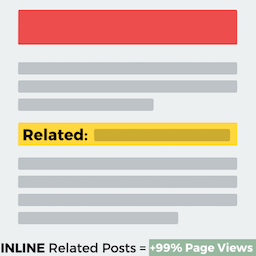
Inline Related Posts AUTOMATICALLY inserts related posts INSIDE your content, capturing immediately the reader's attention.
Security History
What It Does
Inline Related Posts automatically injects links to related articles directly within the body of your posts and pages, rather than displaying a sidebar or footer widget. It analyses your content to find contextually similar posts and inserts them mid-article, aiming to keep readers clicking through to more of your content. The approach is hands-off: once configured, it works on existing and new posts without manual curation.
Who It's For
This plugin is best for bloggers, news publishers, and content marketers running high-volume sites where reducing bounce rate and increasing pageviews per session is a primary goal. It fits well with long-form publishers, affiliate sites, and tutorial blogs that already have a deep archive and want to surface older content automatically. Sites that depend on internal linking for ad revenue or affiliate conversions will see the most practical return.
Who Should Skip It
If you run a small site with fewer than 50 posts, the algorithm will struggle to find meaningful matches and the inline links will feel forced or repetitive. Users who want full control over which posts appear, or who prefer a clean end-of-article related posts block, should look at alternatives like Contextual Related Posts or YARPP.
The Bottom Line
Inline Related Posts delivers exactly what it promises: automatic mid-article related post insertion with minimal configuration, backed by strong ratings and very recent updates. The main caveat is the absence of visible support activity, which makes it harder to gauge how the developer handles edge cases or conflicts. If your site has a deep content archive and you want a set-and-forget engagement booster, this is a solid pick; if you need fine-grained control or visible support, test it on a staging site first.
Related Plugins
Pick this if you want a sidebar, footer, or end-of-post block instead of inline insertion, with a similar quality score of 82.94 and broader layout flexibility.
Choose this if you want a free, lightweight related posts widget with thumbnail support and do not need the inline injection approach.
Pick this if your priority is SEO-driven internal linking for crawlers rather than on-page engagement, as it focuses on building link structures rather than mid-article recommendations.
Consider this if you want a simple, widely used related posts solution with 10,000 installs, though its lower score of 64.02 suggests fewer features and weaker ratings.
Choose this if you want the most configurable related posts engine on the market with detailed matching algorithms, accepting a steeper setup curve and a weaker overall score of 57.19.