Floating Chat Buttons – Click to Call or Chat, Email
View on WordPress.orgScores higher than 43% of indexed plugins
About
Elevate user engagement through Floating Chat Buttons, facilitating immediate connections via chat, email, callback, and additional channels.
What It Does
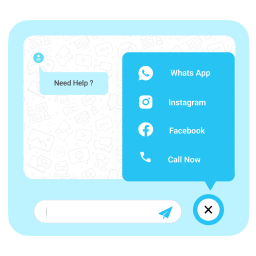
Floating Chat Buttons adds a floating widget to your WordPress site that lets visitors instantly reach you via chat, WhatsApp, email, phone (click-to-call), Instagram, or callback request. Setup is straightforward: you configure your preferred contact channels and the buttons appear persistently on the page, so visitors do not need to hunt down a contact page. It is a lightweight contact-conversion tool rather than a full live-chat system.
Who It's For
This plugin is best for small and mid-sized businesses that rely on direct, multi-channel customer contact, such as real estate agents, restaurants, healthcare practices, service businesses, and e-commerce shops needing quick WhatsApp or phone outreach. Site owners who want a simple floating CTA without the complexity of a full helpdesk or chatbot will find it fits well. It works especially well in markets where WhatsApp or phone calls are the dominant pre-purchase communication channel.
Who Should Skip It
If you need a full-featured live chat solution with agent routing, ticketing, chatbots, or detailed analytics, skip this and choose something like Chatway or a dedicated helpdesk plugin. Larger support-heavy operations, or anyone who already has a converted contact page strategy, will not gain much from adding floating buttons.
The Bottom Line
With an overall quality score of 75.63 and outstanding user ratings against a small install base, this plugin delivers exactly what it promises: a simple, well-maintained floating contact widget. The main risk is the thin support history, since 1,000 installs and zero public threads means you are relying on a developer with limited public proof of post-install help. It is a solid pick for small businesses wanting friction-free contact, but enterprise support teams should look at more mature alternatives.
Related Plugins
Pick this instead if your primary problem is email deliverability rather than adding visible contact buttons to your site.
Choose this if you need SMTP relay and email logging capabilities rather than a front-end chat widget.
Pick this instead when you want a full live-chat experience with AI chatbots, ticketing, and multi-agent support rather than a simple floating button.
Pick this if your goal is displaying an Instagram feed on your site rather than routing visitors to direct messaging channels.
Choose this when your focus is capturing email subscribers and syncing them to Mailchimp instead of providing click-to-contact shortcuts.