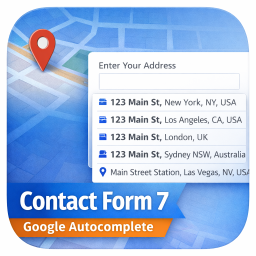
Autocomplete Location Field for Contact Form 7
View on WordPress.orgScores higher than 46% of indexed plugins
About
Add a Google Address Autocomplete field to Contact Form 7 forms. Powered by Google Places API for real-time address suggestions and accurate data coll …
Security History
What It Does
Autocomplete Location Field for Contact Form 7 adds a Google Places-powered address field to any Contact Form 7 form. Visitors start typing an address and receive real-time suggestions that, once selected, populate the form fields with accurate, structured location data. The plugin essentially turns a plain text address input into a verified, geocoded autocomplete experience without leaving your site.
Who It's For
This plugin is a strong fit for small to mid-sized businesses that rely on accurate shipping, delivery, or service-area addresses, including e-commerce stores, logistics providers, real estate agencies, moving companies, and appointment-based services like healthcare clinics. It is best suited for site owners who already use Contact Form 7 and have a Google Cloud billing account to cover Places API usage fees.
Who Should Skip It
If you are not already using Contact Form 7, or if you only need a single static contact form, this add-on is unnecessary overhead. Sites that require map visualization, route planning, or store-locator functionality should look at a dedicated mapping plugin instead.
The Bottom Line
Autocomplete Location Field for Contact Form 7 is a focused, well-maintained add-on that does one thing and does it on the latest WordPress release. The 75.93/100 quality score reflects strong maintenance and compatibility tempered by a small install base and almost no support history to evaluate. It is a solid pick for CF7 users who need accurate, geocoded addresses, provided you are comfortable setting up and paying for a Google Places API key.
Related Plugins
Pick this if your main gap is storing form submissions in WordPress rather than capturing verified addresses.
Choose this when you need visual maps, store locators, or directions alongside any address fields.
Pick this if your priority is spam protection rather than address accuracy.
Choose this when you need to send users to thank-you pages or external URLs after submission.
Pick this if you want forms that show or hide fields based on prior answers, which complements address autocomplete nicely.